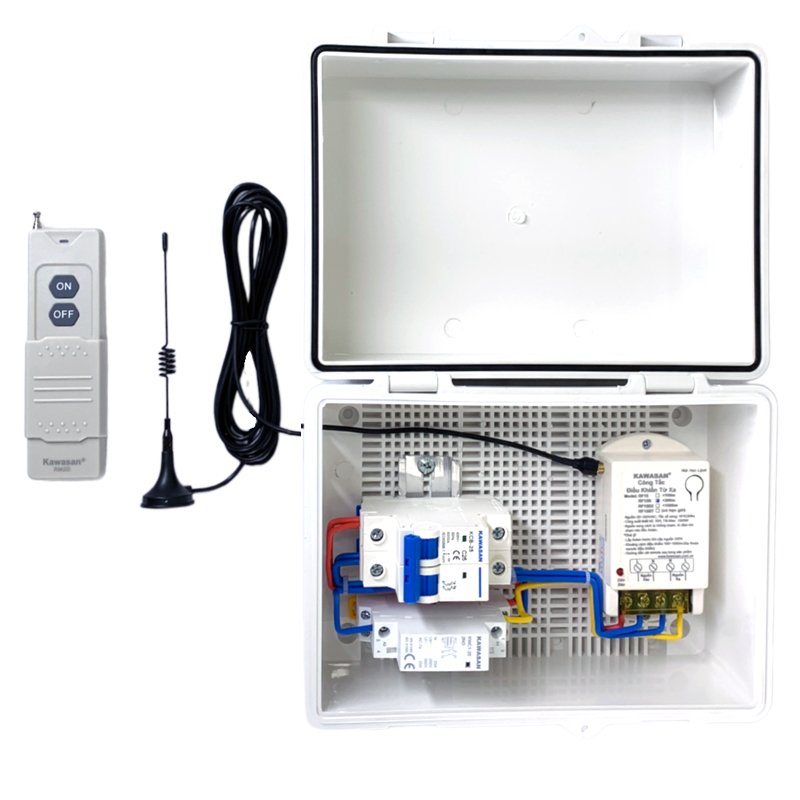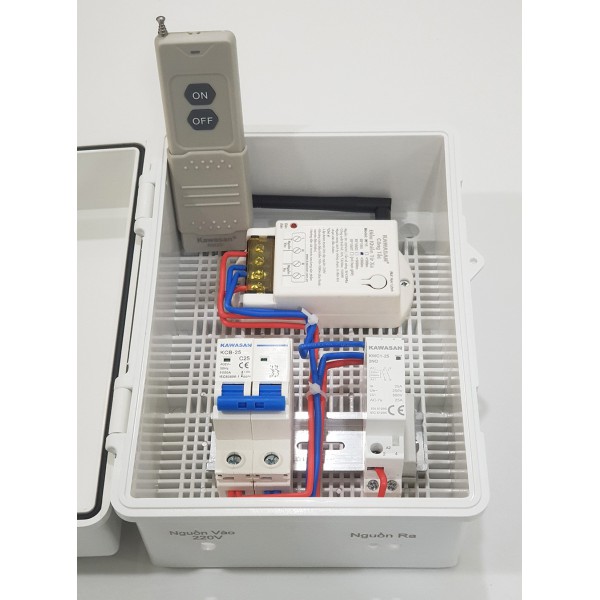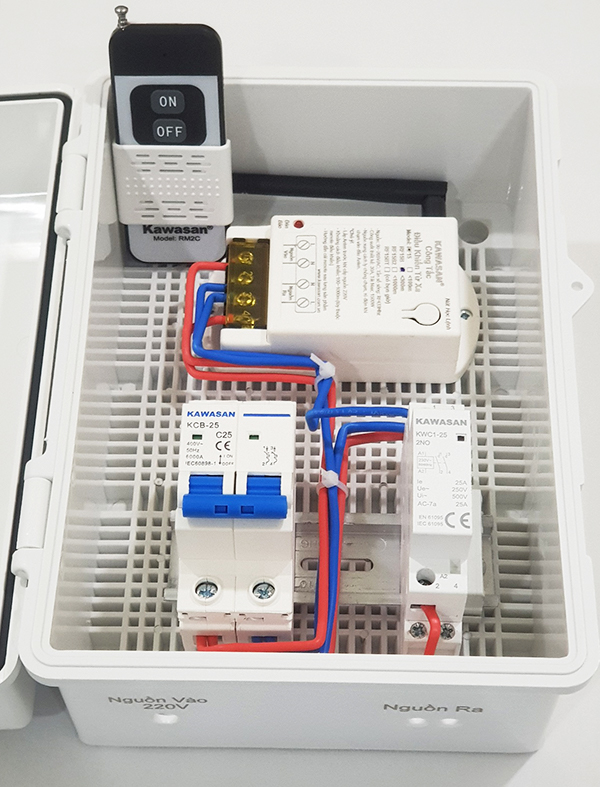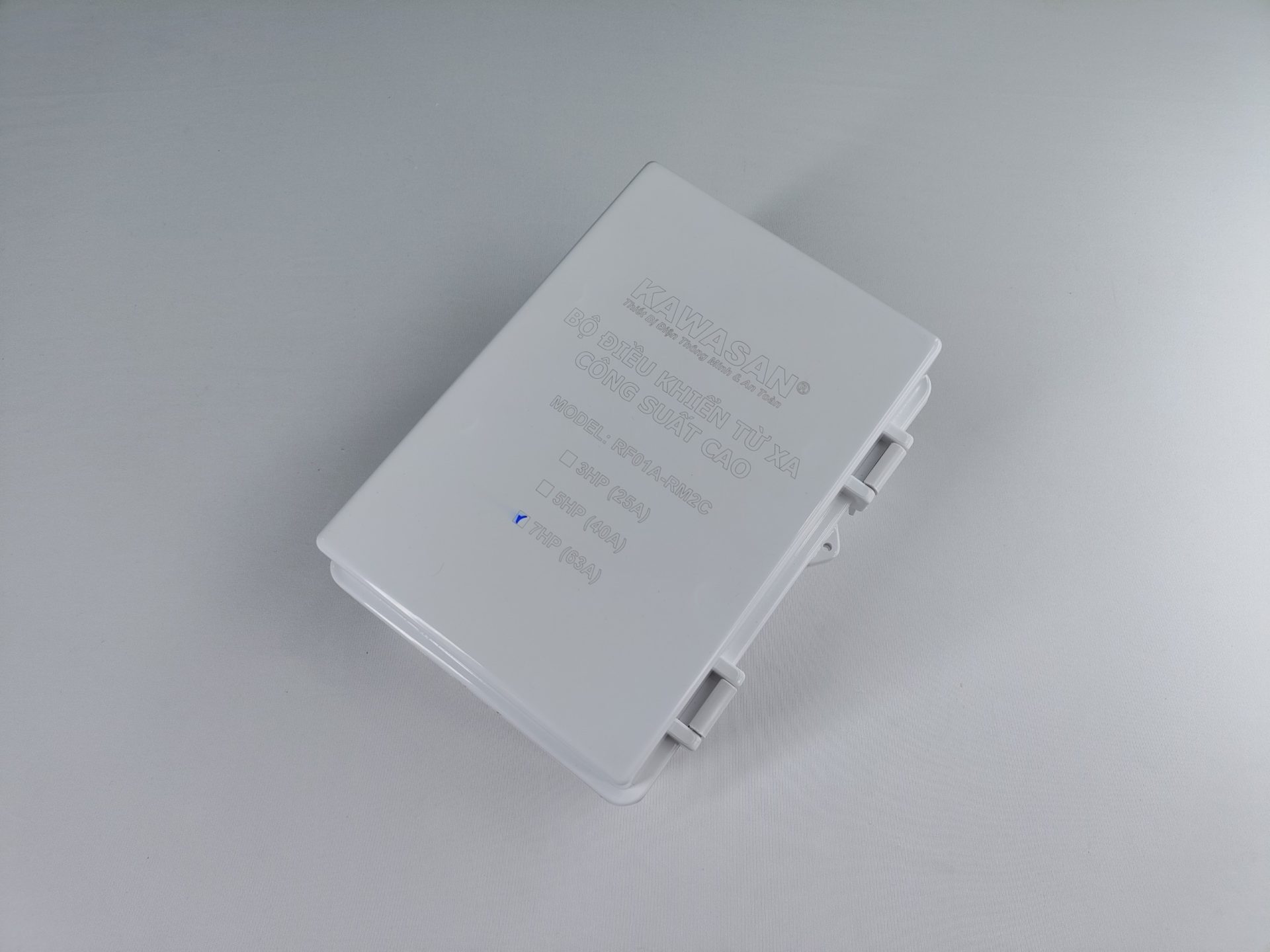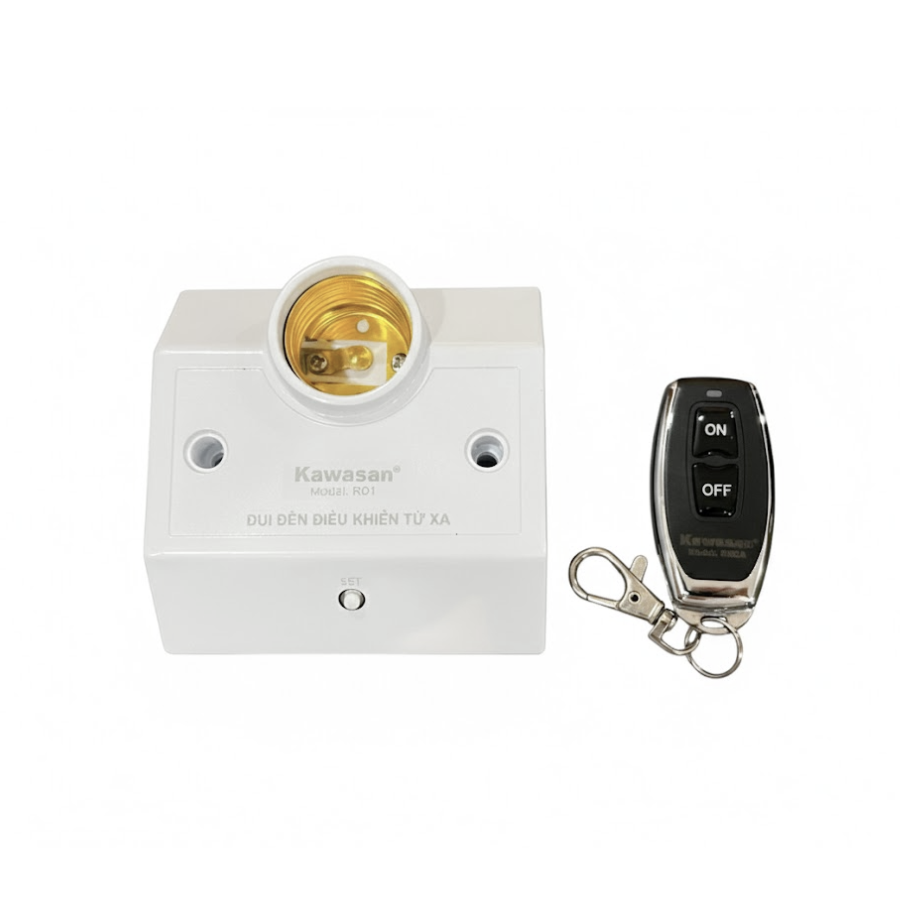
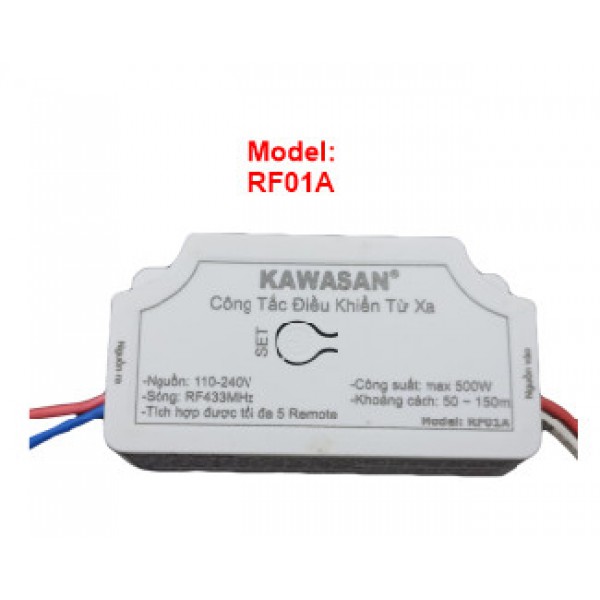
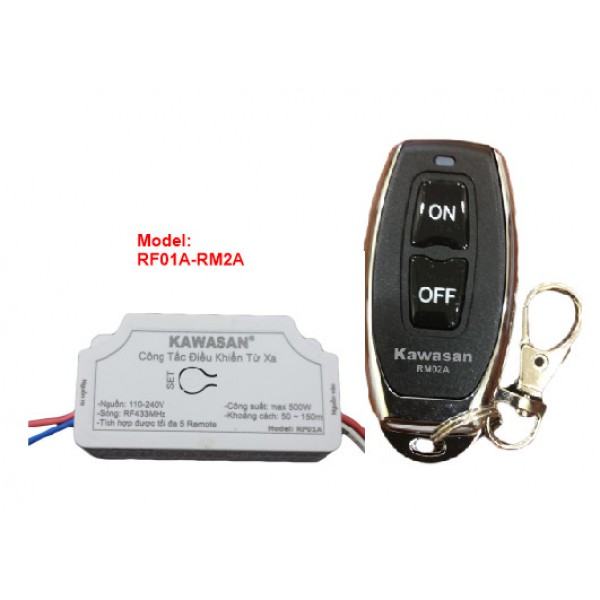
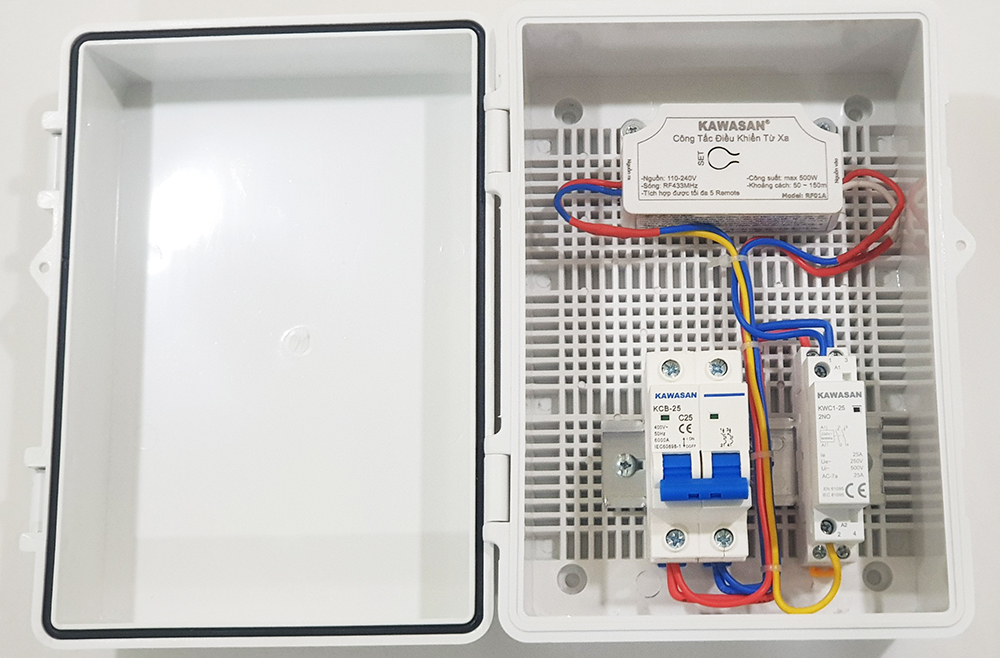
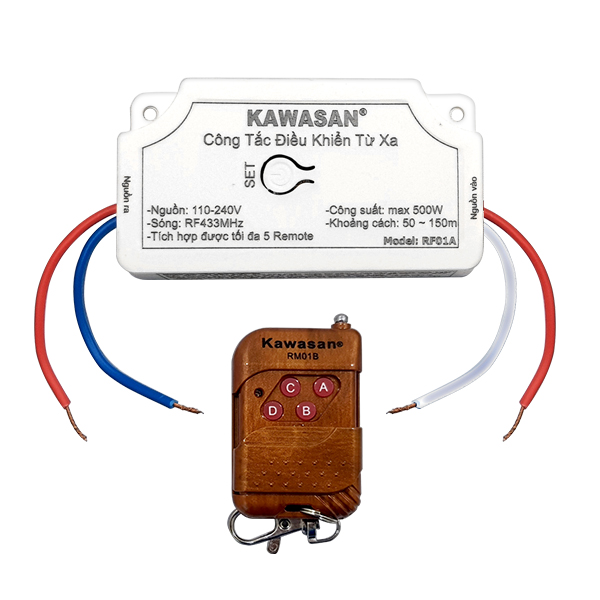


Remote control switch RF01A (100~200m)
Sold: 1531 sản phẩm
216.000 ₫ – 232.000 ₫ (VAT included)
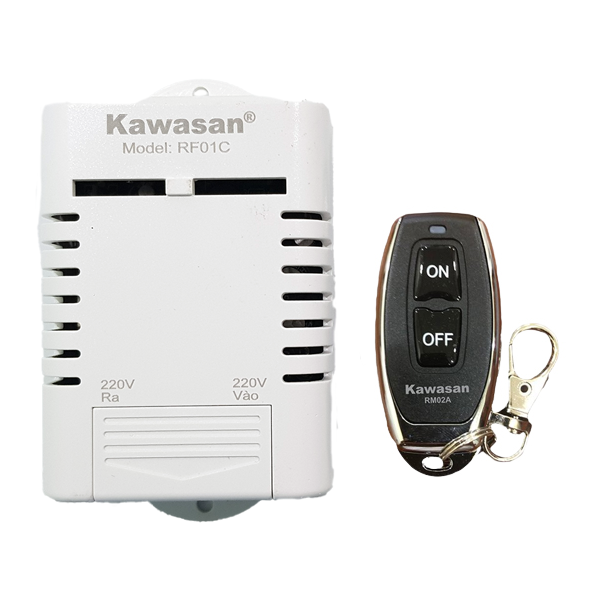
Remote control switch RF01A (100~200m):
- Power supply: 110~240V
- Radio Frequency: RF433MHz
- Remote Learning Function: Supported
- Load capacity: 500W (LED lights/pump)
- Up to 6 remotes can be integrated
- Range: 30~100m (depending on remote and obstacles)
- Turn off bedside lights when the mechanical switch is broken or when the electrician forgot to install a two-way switch near the bed.
- Remotely turn hallway and balcony lights on or off without having to go up and down each floor every day.
- Turn display lights on or off in showrooms, decorative lighting stores, and fashion shops. Turn off some lights when there are fewer customers.
KAWASAN RF01A Remote Control Switch Module
INTRODUCTION:
- The RF01A allows users to turn off bedside lights when the mechanical switch is broken or when the electrician forgot to install a two-way switch near the bed.
- Remotely turn hallway and balcony lights on or off without having to go up and down each floor every day.
APPLICATIONS:
- Turn display lights on or off in showrooms, decorative lighting stores, and fashion shops. Some lights can be turned off when there are fewer customers.
TECHNICAL SPECIFICATIONS: RF01A
- Power supply: 110~240V
- Radio frequency: RF433Mhz
- Learning function for receiving remote control commands
- Remote Control Range: 100–200m (without obstacles)
- 30–50m (with obstacles)
- Up to 6 remotes can be integrated
USEFUL INFORMATION:
USER GUIDE:
Remote Control Pairing Instructions:
- Press and hold the SET button for 3–5 seconds until the indicator light starts flashing. Press and hold a button on the remote control for 1–2 seconds. When the indicator light turns off, release the button. When the indicator light flashes again, press the same button on the remote control once more. The indicator light will turn off to confirm successful pairing. If you want to use separate ON and OFF buttons, press a different button on the remote control during the second step.
- How to Delete All Paired Remotes: Press and hold the SET button for 8–10 seconds until the indicator light flashes and then turns off completely. All paired remote control codes will be deleted.
- Note: Once a remote control button has been paired, it cannot be paired again. To pair it again, you must first delete all stored codes (reset) and repeat the pairing process from the beginning.
- A Leading Vietnamese Brand in the fields of automatic electrical equipment, security, safety, and smart electrical devices since 2007, as well as residential LED lighting and solar lighting since 2012.
- High durability with selected components– Stable operation even in harsh weather conditions
- Superior Warranty Policy– Repair support is available even after the warranty period if the product can still be restored
- Kawasan currently has its head office in Ho Chi Minh City, branches in Hanoi and Da Nang, and a production and assembly workshop in District 12, Ho Chi Minh City.
- 24/7 Support Service, with a nationwide dealer network
Reference Articles and Videos on Applications, Benefits, and User Instructions
- Refer to product-related articles:
- Watch videos introducing the product, its applications, and instructions for use:
-
-
- Product introduction video: Giới Thiệu Công Tắc Điều Khiển Từ Xa Của Kawasan | Model: RF01A
- Video hướng dẫn sử dụng:Giới Thiệu Công Tắc Điều Khiển Từ Xa Của Kawasan (cho đại lí ) | Model: RF01A
-
-
- Power supply: 110~240V
- Radio Frequency: RF433MHz
- Remote Learning Function: Supported
- Load capacity: 500W (LED lights/pump)
- Up to 6 remotes can be integrated
- Range: 30~100m (depending on remote and obstacles)
Remote Control Pairing Instructions:
- Press and hold the SET button for 3–5 seconds until the indicator light starts flashing. Press and hold a button on the remote control for 1–2 seconds. When the indicator light turns off, release the button. When the indicator light flashes again, press the same button on the remote control once more. The indicator light will turn off to confirm successful pairing. If you want to use separate ON and OFF buttons, press a different button on the remote control during the second step.
- How to Delete All Paired Remotes: Press and hold the SET button for 8–10 seconds until the indicator light flashes and then turns off completely. All paired remote control codes will be deleted.
- Note: Once a remote control button has been paired, it cannot be paired again. To pair it again, you must first delete all stored codes (reset) and repeat the pairing process from the beginning.
Thank you for trusting Kawasan products!
Toll-Free Consulting Hotline: 1800 0058 Or Call Directly: 0911 757 234
Website: www.kawasan.com.vn
- Description
- Additional information
- Reviews (2)
Description
- Turn off bedside lights when the mechanical switch is broken or when the electrician forgot to install a two-way switch near the bed.
- Remotely turn hallway and balcony lights on or off without having to go up and down each floor every day.
- Turn display lights on or off in showrooms, decorative lighting stores, and fashion shops. Turn off some lights when there are fewer customers.
KAWASAN RF01A Remote Control Switch Module
Nội Dung Bài Viết
ToggleINTRODUCTION:
- The RF01A allows users to turn off bedside lights when the mechanical switch is broken or when the electrician forgot to install a two-way switch near the bed.
- Remotely turn hallway and balcony lights on or off without having to go up and down each floor every day.
APPLICATIONS:
- Turn display lights on or off in showrooms, decorative lighting stores, and fashion shops. Some lights can be turned off when there are fewer customers.
TECHNICAL SPECIFICATIONS: RF01A
- Power supply: 110~240V
- Radio frequency: RF433Mhz
- Learning function for receiving remote control commands
- Remote Control Range: 100–200m (without obstacles)
- 30–50m (with obstacles)
- Up to 6 remotes can be integrated
USEFUL INFORMATION:
USER GUIDE:
Remote Control Pairing Instructions:
- Press and hold the SET button for 3–5 seconds until the indicator light starts flashing. Press and hold a button on the remote control for 1–2 seconds. When the indicator light turns off, release the button. When the indicator light flashes again, press the same button on the remote control once more. The indicator light will turn off to confirm successful pairing. If you want to use separate ON and OFF buttons, press a different button on the remote control during the second step.
- How to Delete All Paired Remotes: Press and hold the SET button for 8–10 seconds until the indicator light flashes and then turns off completely. All paired remote control codes will be deleted.
- Note: Once a remote control button has been paired, it cannot be paired again. To pair it again, you must first delete all stored codes (reset) and repeat the pairing process from the beginning.
WHY CHOOSE KAWASAN?
- A Leading Vietnamese Brand in the fields of automatic electrical equipment, security, safety, and smart electrical devices since 2007, as well as residential LED lighting and solar lighting since 2012.
- High durability with selected components– Stable operation even in harsh weather conditions
- Superior Warranty Policy– Repair support is available even after the warranty period if the product can still be restored
- Kawasan currently has its head office in Ho Chi Minh City, branches in Hanoi and Da Nang, and a production and assembly workshop in District 12, Ho Chi Minh City.
- 24/7 Support Service, with a nationwide dealer network
Kawasan Commitment Kawasan is committed to providing products genuine – durable – safe, fully meeting technical standards and practical usage requirements. All products are covered by warranty free of charge for 24 months, with 1-for-1 replacement within 30 days for technical defects. In addition, customers are also supported with repair services after the warranty period if the product can still be restored, free of charge if the cost of replacement components is insignificant. Customers can purchase products at authorized dealers within NATIONWIDE DISTRIBUTION SYSTEM in provinces and cities nationwide, or place orders directly on the website.
Reference Articles and Videos on Applications, Benefits, and User Instructions
- Refer to product-related articles:
- Watch videos introducing the product, its applications, and instructions for use:
-
-
- Product introduction video: Giới Thiệu Công Tắc Điều Khiển Từ Xa Của Kawasan | Model: RF01A
- Video hướng dẫn sử dụng:Giới Thiệu Công Tắc Điều Khiển Từ Xa Của Kawasan (cho đại lí ) | Model: RF01A
-
-
Additional information
| Classify | Không Remote, RF01A-RM01B, RF01A-RM2A |
|---|
2 reviews for Công tắc điều khiển từ xa RF01A (100~200m)
-
5 out of 5
Hoàng Phát –
Phạm vi điều khiển tốt, tín hiệu ổn định
-
5 out of 5
Thanh Sơn –
Tín hiệu 100–200m đáp ứng tốt nhu cầu của mình, không cần kéo thêm dây điều khiển


Hoàng Phát –
Phạm vi điều khiển tốt, tín hiệu ổn định
Thanh Sơn –
Tín hiệu 100–200m đáp ứng tốt nhu cầu của mình, không cần kéo thêm dây điều khiển