


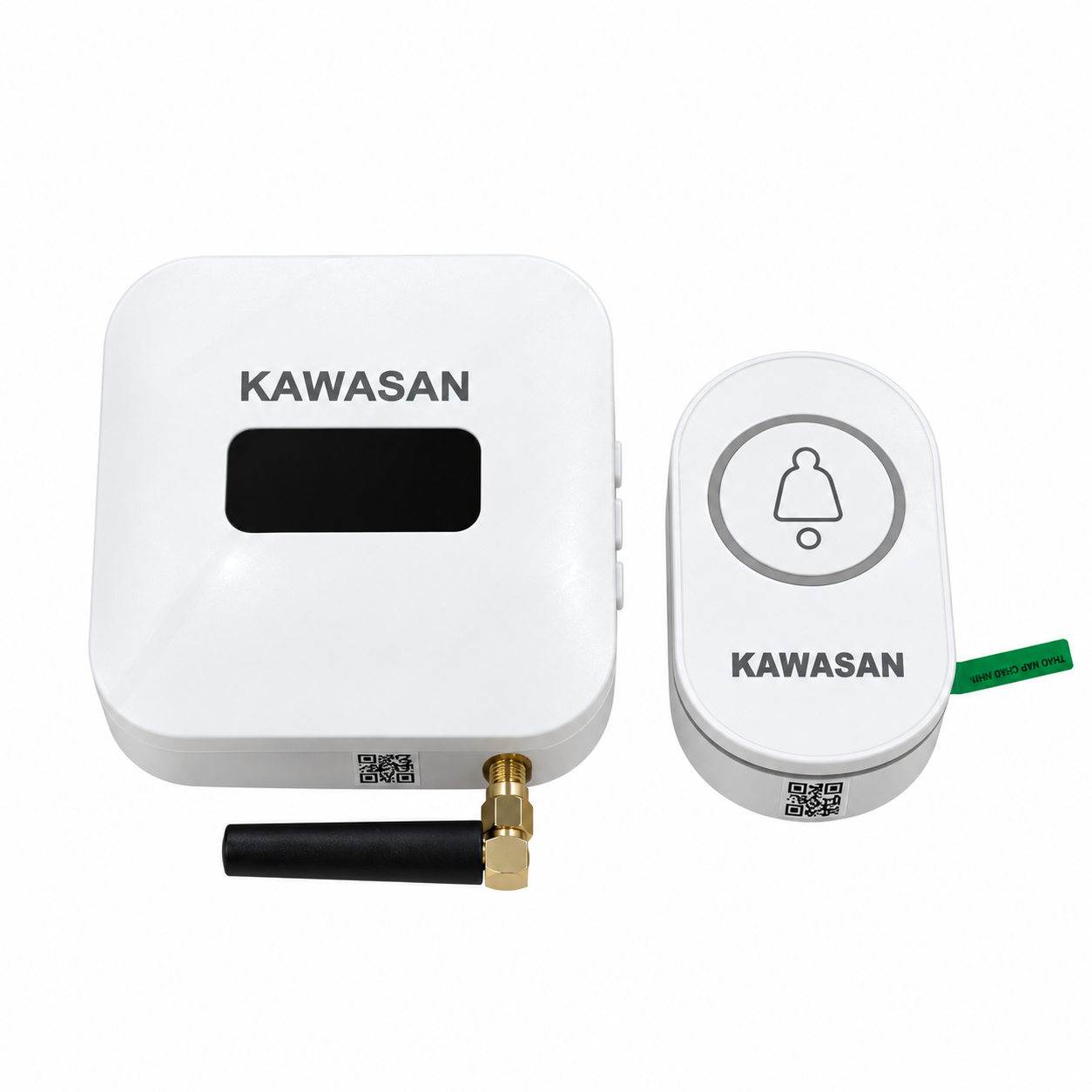
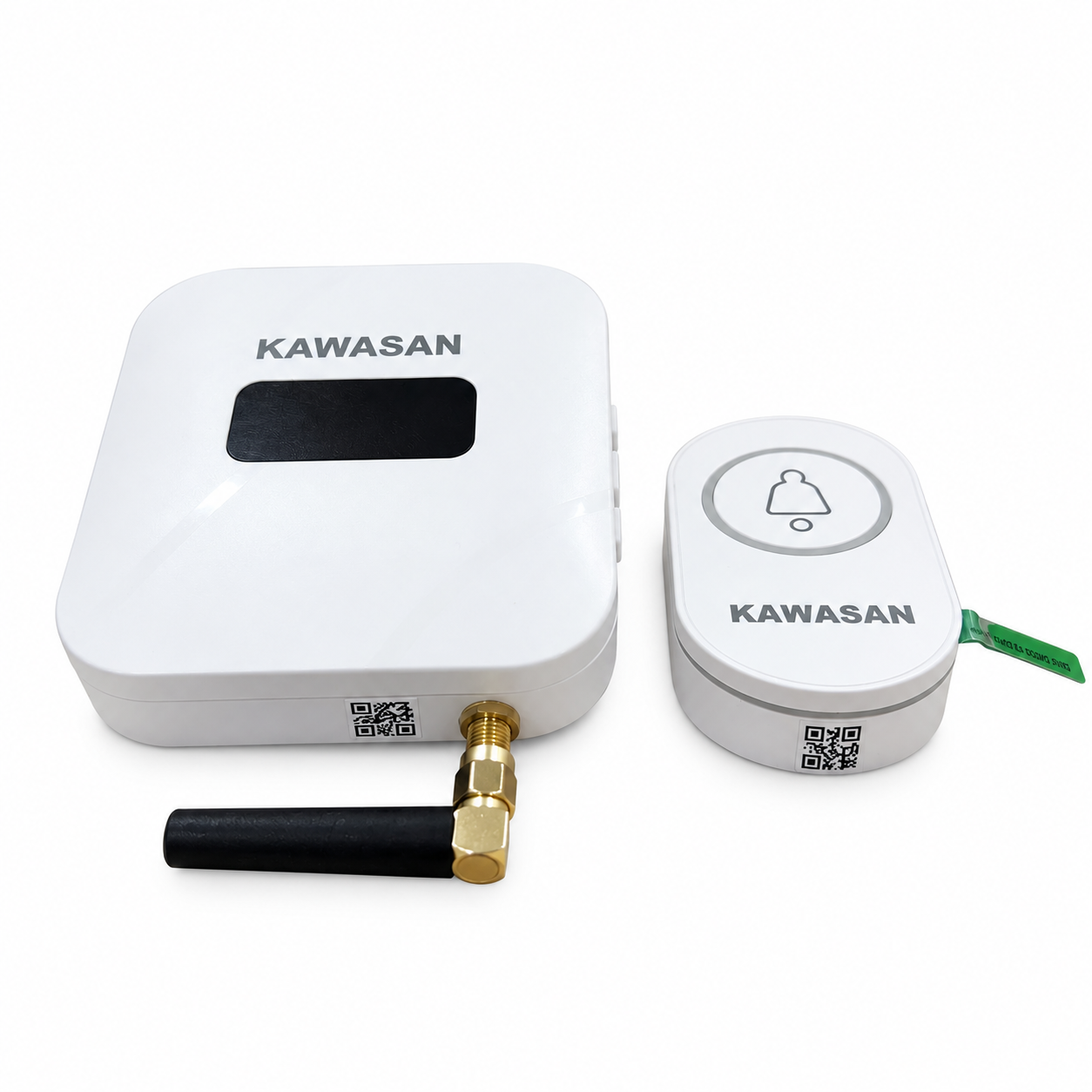
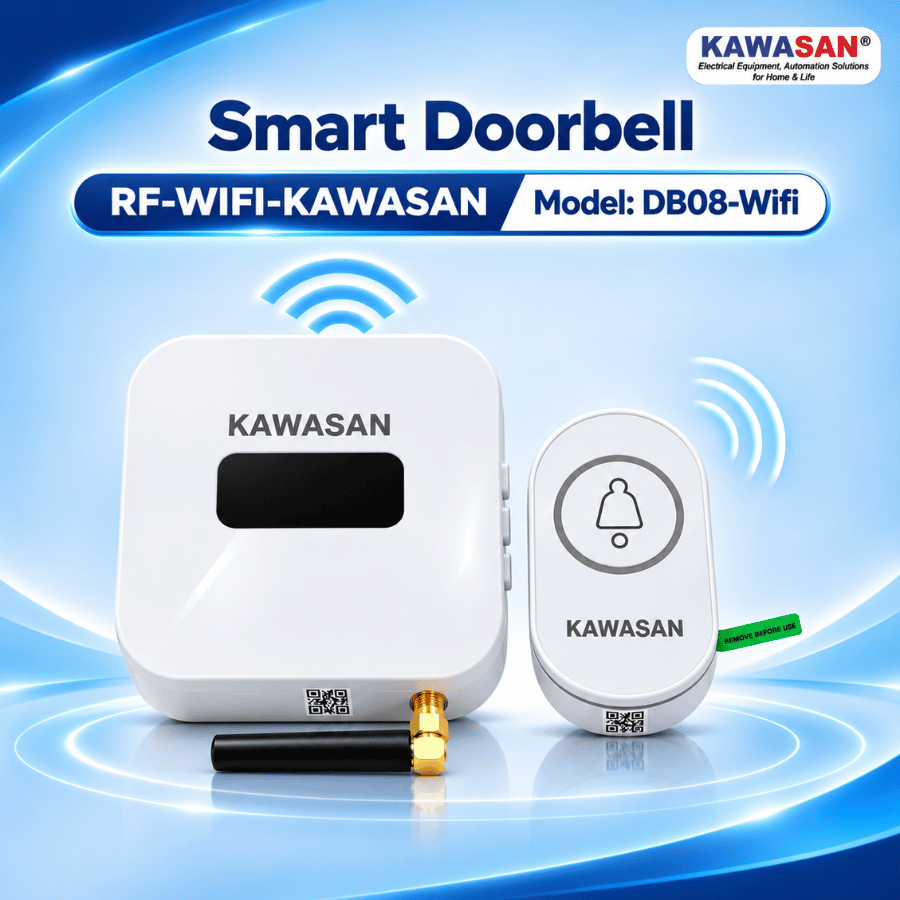
The KAWASAN DB08-Wifi Smart Doorbell combines RF 433MHz and 2.4GHz WiFi technology to help households know when visitors arrive. When someone presses the doorbell button, the main receiver sounds a chime inside the house and can send a notification to the user's smartphone.
The product includes a main receiver and a wireless doorbell button, eliminating the need for signal wiring between the two devices. This wireless doorbell system is suitable for townhouses, apartments, stores, and offices.1. Key Features of the DB08-Wifi Smart Doorbell
RF 433MHz and 2.4GHz WiFi Connectivity
The KAWASAN DB08-Wifi uses RF 433MHz wireless technology to transmit signals from the doorbell button to the main receiver. The 2.4GHz WiFi connection allows the device to communicate with the smartphone app.
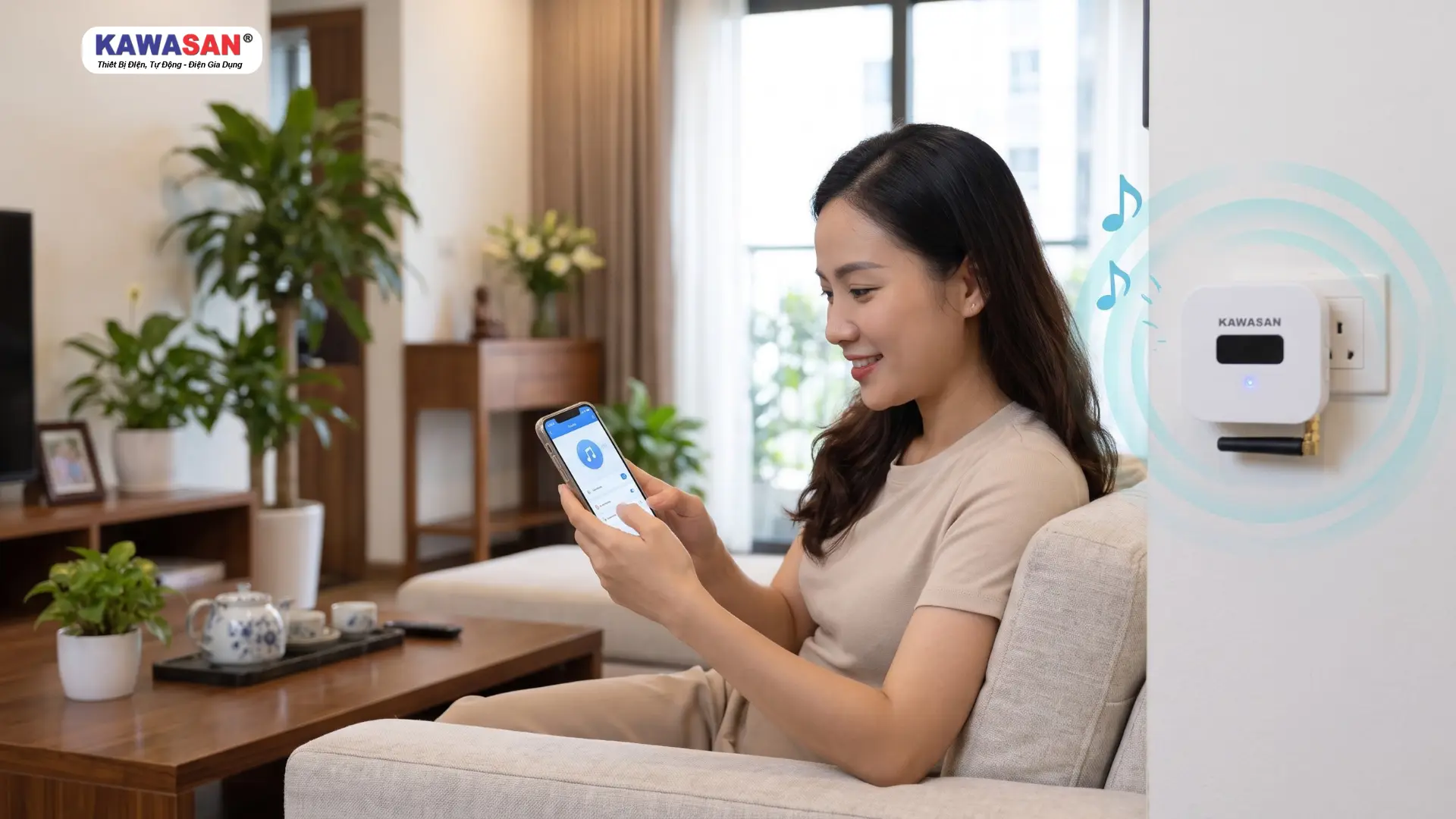
When a visitor presses the doorbell, the main receiver plays a chime inside the house. At the same time, the system can send a notification to the smartphone when a suitable Internet connection is available. Thanks to RF wireless connectivity, the doorbell system does not require signal wiring from the entrance gate to the house.Receive Notifications on Your Smartphone

With the DB08-Wifi Smart Doorbell, users can receive notifications whenever someone presses the doorbell button. This feature is useful when working, cooking, or when the doorbell sound is difficult to hear.
To use this function, the main receiver must be powered on and connected to the Internet. Users must also enable notification permissions for the app on their smartphones.20 Ringtones and 5 Volume Levels
The main receiver supports 20 ringtone options and 5 adjustable volume levels. Users can choose a suitable ringtone for different living environments.
For houses located along busy streets, a clear and distinctive ringtone can help users recognize the doorbell sound over traffic noise. In quiet apartments, the volume can be reduced to avoid unnecessary disturbance.Supports Up to 16 Compatible Wireless Devices
The DB08-Wifi main receiver supports connections with up to 16 compatible wireless devices. In addition to the doorbell button, the system supports certain RF accessories listed by the manufacturer.
Users should check device compatibility before pairing additional accessories.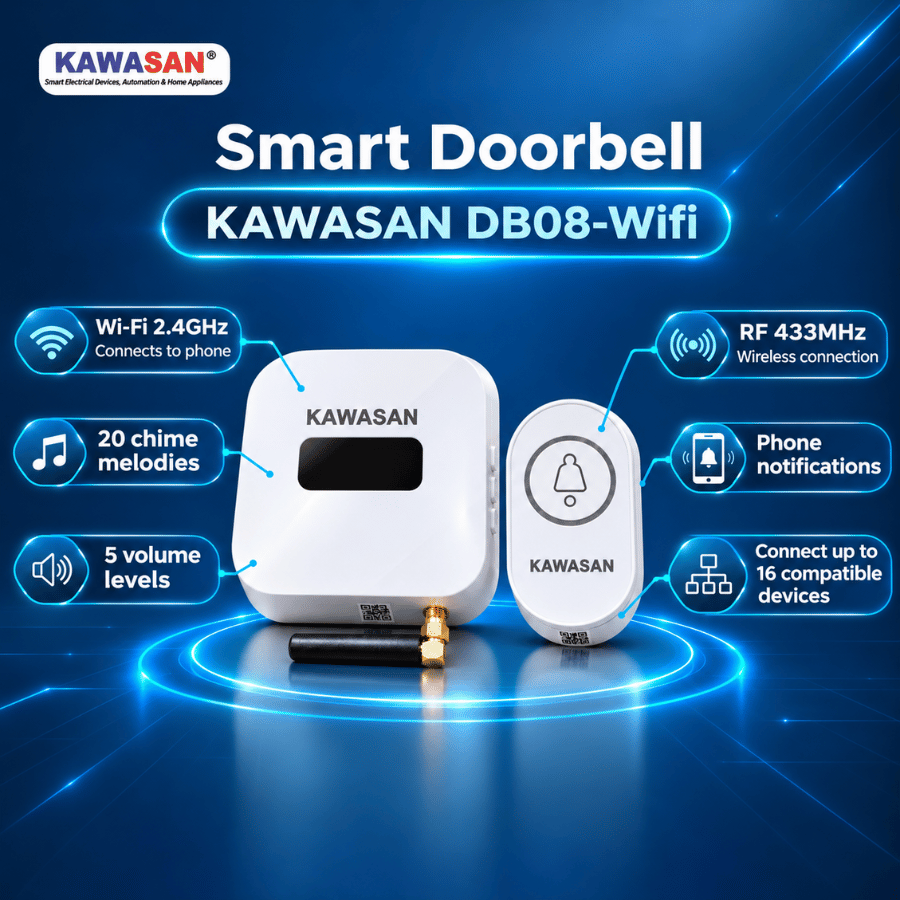
2. Components and Operating Principle
The KAWASAN DB08-Wifi Wireless Doorbell System consists of two main components.
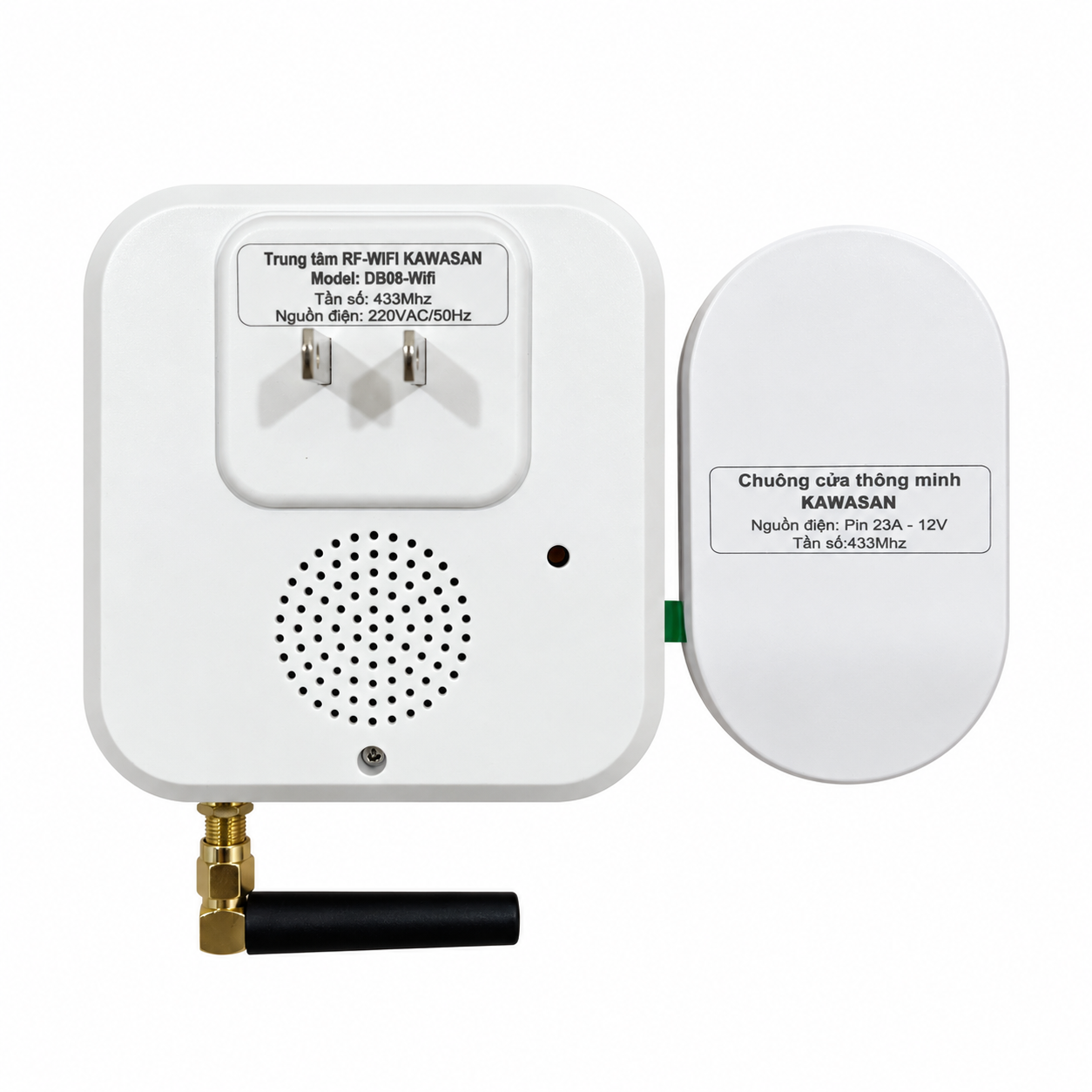
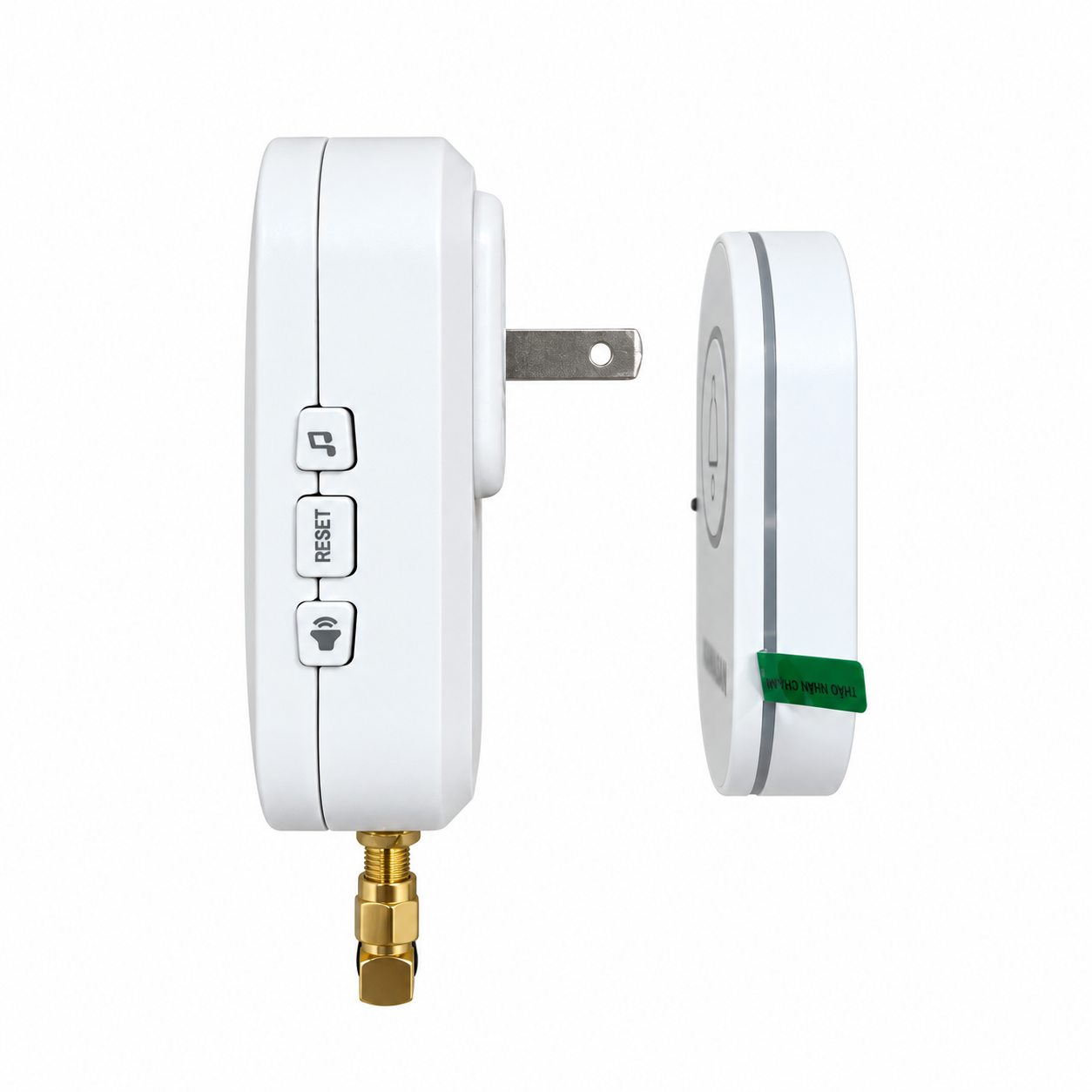
RF-WiFi Main Receiver: Operates on a 90–240V AC power supply, receives RF signals, and plays doorbell sounds. The device connects to WiFi to support smartphone notifications. Wireless Doorbell Button: Powered by a 23A 12V DC battery and transmits signals using RF 433MHz technology. The device features a flame-retardant ABS plastic housing and a flashing indicator light. When a visitor presses the doorbell button at the entrance gate, an RF signal is transmitted to the main receiver. The receiver detects the signal, plays the selected ringtone, and supports sending notifications through the smartphone app. This wireless system makes the doorbell convenient to install in locations where running signal wires would be difficult.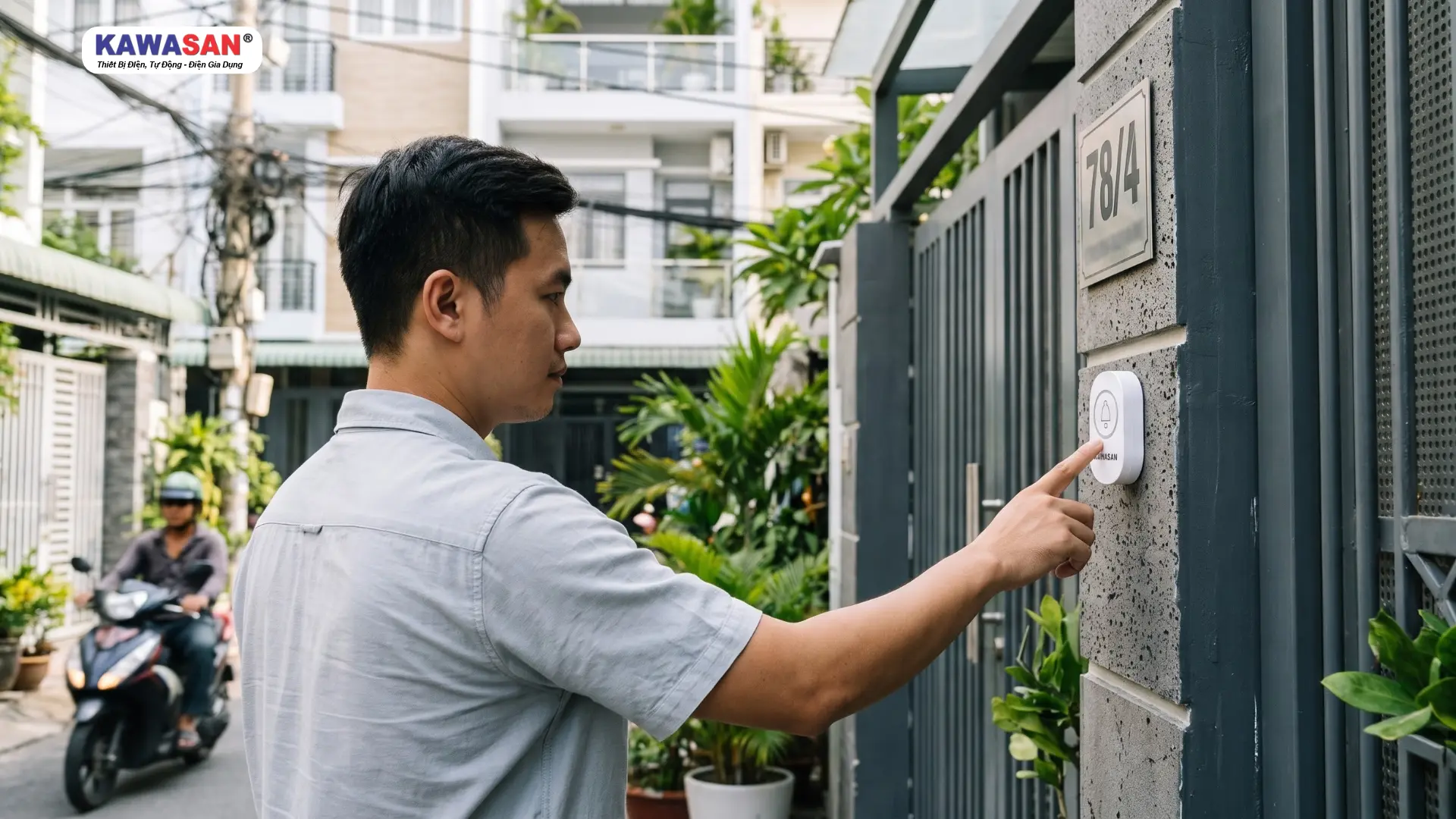
3. KAWASAN DB08-Wifi Technical Specifications
Main Receiver Specifications
- Model: DB08-Wifi
- Power Supply: 90–240V AC / 50Hz
- WiFi Connectivity: 2.4GHz b/g/n
- RF Frequency: 433MHz
- Supported Wireless Devices: Up to 16 Compatible Devices
- Ringtones: 20 Options
- Volume: 5 levels
Wireless Doorbell Button Specifications
- Power Supply: 23A 12V DC Battery
- RF Frequency: 433MHz
- Material: Flame-retardant ABS plastic
- Indicator Light: Flashing Indicator Light
4. Installation and Operating Instructions
Device Installation and Connection
Place the main receiver in an open location where the doorbell sound can be heard clearly and where a power supply is easily accessible. The doorbell button should be installed near the entrance door or gate so visitors can easily reach it. After connecting the power supply, open the KAWASAN app and connect the main receiver to a 2.4GHz WiFi network. Next, pair the RF doorbell button according to the product instructions. Once the setup is complete, press the doorbell button to check whether the receiver receives the signal correctly.Ringtone and Notification Settings
Users can select different ringtones and adjust the volume in the device settings. It is recommended to start with a medium volume level and check whether the doorbell can be heard clearly in different areas of the house. Users should also enable notification permissions on their smartphones and test whether alerts are received when someone presses the doorbell.5. Practical Applications
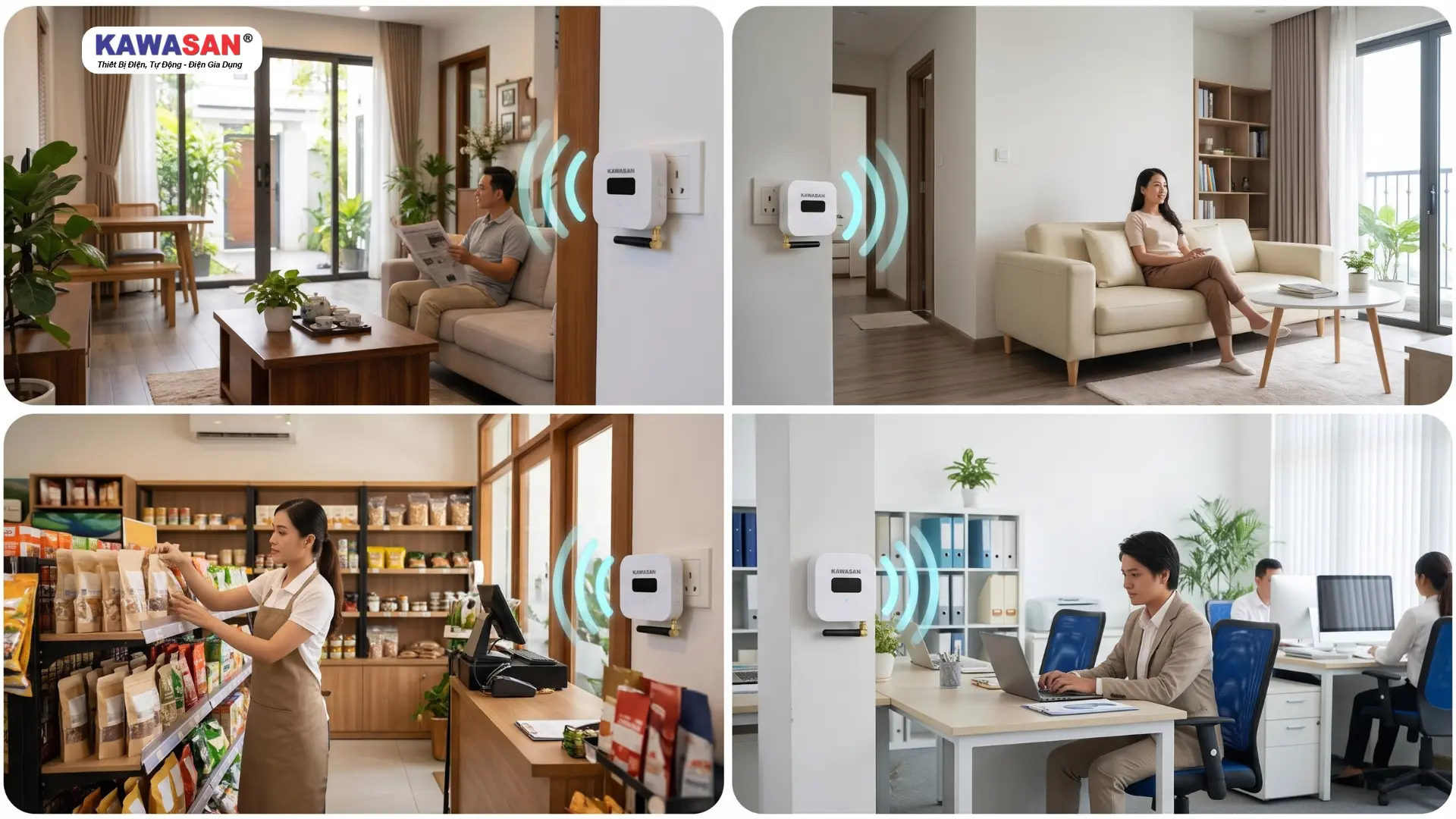
- Townhouses: Helps notify residents when visitors arrive, even in noisy environments.
- Apartments: Allows users to adjust the doorbell volume according to their daily needs.
- Stores: Helps employees know when customers press the doorbell.
- Offices: Provides visitor notifications without requiring signal wiring.
6. Important Operating Precautions
To ensure stable operation of the smart doorbell, the main receiver must have a continuous power supply. The RF antenna must also be installed correctly according to the manufacturer's instructions.
The doorbell button uses a 23A 12V DC battery, which should be checked and replaced with the correct type when necessary. Concrete walls, metal gates, and installation distances may affect RF signal transmission. If the device's water resistance has not been confirmed, the doorbell button should be installed in a sheltered location. When changing the WiFi password, users should check the app connection again. The DB08-Wifi supports audible visitor alerts and smartphone notifications. The product is not described as having a camera or two-way audio communication functionality.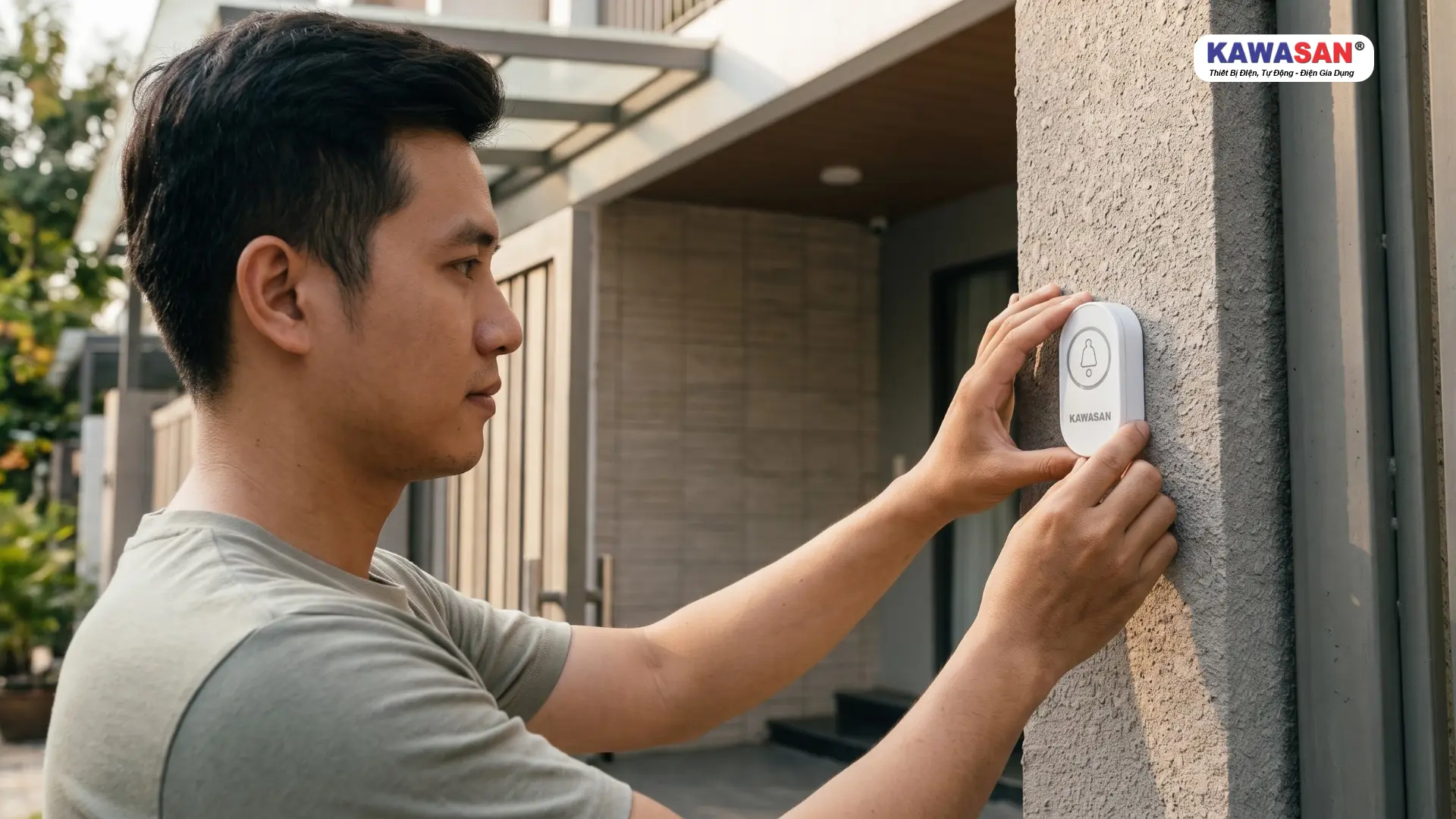
7. Conclusion
The KAWASAN DB08-Wifi Smart Doorbell is suitable for households and stores looking for an easy-to-use wireless doorbell with smartphone notifications. To learn more about the product and choose suitable equipment, customers can visit the website KAWASAN. For product assistance or purchasing inquiries, please contact the sales department at 0825 411 408 – 0911 757 234. In addition to smart electrical devices, customers can explore lighting products and solutions for homes, stores, and construction projects at KAWALED.Technical Specifications of the Central Controller:
- Power Supply: 90–240VAC / 50Hz
- Connection: WiFi 2.4GHz b/g/n
- RF Frequency: 433MHz
- Device Capacity: Supports up to 16 sub-devices, such as doorbell buttons, scene buttons, and smoke detectors
- Sound: Supports 20 ringtones and 5 volume levels
Thông số kỹ thuật nút nhấn chuông cửa:
- Power Supply: 23A 12VDC battery
- Operating Frequency: 433MHz
- Material: Flame-retardant ABS plastic
- Ringtones: 24 selectable chime tones
- Flashing indicator light
- Volume: 5 levels
Hướng dẫn cài đặt Bộ trung tâm qua ứng dụng Kawasan:
- Tải ứng dụng Kawasan từ App Store hoặc CH Play.
- Mở ứng dụng và đăng ký một tài khoản mới bằng cách nhấn vào nút đăng ký trong màn hình mới vào.
- Kết nối thiết bị: Nhấn giữ nút Reset trên bộ trung tâm cho đến khi đèn LED nháy đều. Sau đó, tại màn hình chính của ứng dụng, nhấn dấu cộng (+)
- Tại giao diện thêm thiết bị mục thiết bị có sẵn xung quanh chọn biểu tượng bộ RF trung tâm và làm theo hướng dẫn.
Installation Notes:
- The RF central controller can connect to up to 16 sub-devices, including doorbell buttons, scene buttons, smoke detectors, and other compatible devices.
- Install the RF central controller in a suitable location to ensure stable communication with connected sub-devices.
- Adjust the ringtone volume or change the ringtone type in the settings of each connected sub-device.
- Keep the RF antenna connected at all times to maintain stable wireless communication.
Hướng dẫn cài đặt nút nhấn chuông cửa qua ứng dụng Kawasan:
- Tải ứng dụng Kawasan từ App Store hoặc CH Play.
- Mở ứng dụng và đăng ký một tài khoản mới bằng cách nhấn vào nút đăng ký trong màn hình mới vào..
- Nhấn nút Chuông cửa RF một lần.
- Tại màn hình chính nhấn vào dấu cộng (+).
- Tại giao diện thêm thiết bị mục thiết bị có sẵn xung quanh chọn biểu tượng chuông cửa RF và làm theo hướng dẫn.
Installation Notes:
- Install the doorbell button near the entrance or at the location where visitor notification is required.
- The ringtone and volume can be changed through the application settings.
- Description
- Reviews (2)
Description
The KAWASAN DB08-Wifi Smart Doorbell combines RF 433MHz and 2.4GHz WiFi technology to help households know when visitors arrive. When someone presses the doorbell button, the main receiver sounds a chime inside the house and can send a notification to the user's smartphone.
The product includes a main receiver and a wireless doorbell button, eliminating the need for signal wiring between the two devices. This wireless doorbell system is suitable for townhouses, apartments, stores, and offices.
1. Key Features of the DB08-Wifi Smart Doorbell
RF 433MHz and 2.4GHz WiFi Connectivity
The KAWASAN DB08-Wifi uses RF 433MHz wireless technology to transmit signals from the doorbell button to the main receiver. The 2.4GHz WiFi connection allows the device to communicate with the smartphone app.
Khi khách bấm chuông, bộ trung tâm phát âm báo trong nhà. Đồng thời, hệ thống hỗ trợ gửi thông báo đến điện thoại khi có kết nối Internet phù hợp.
Nhờ kết nối RF, bộ chuông không dây này không cần kéo dây tín hiệu từ cổng vào nhà.
Receive Notifications on Your Smartphone
With the DB08-Wifi Smart Doorbell, users can receive notifications whenever someone presses the doorbell button. This feature is useful when working, cooking, or when the doorbell sound is difficult to hear.
To use this function, the main receiver must be powered on and connected to the Internet. Users must also enable notification permissions for the app on their smartphones.
20 Ringtones and 5 Volume Levels
The main receiver supports 20 ringtone options and 5 adjustable volume levels. Users can choose a suitable ringtone for different living environments.
For houses located along busy streets, a clear and distinctive ringtone can help users recognize the doorbell sound over traffic noise. In quiet apartments, the volume can be reduced to avoid unnecessary disturbance.
Supports Up to 16 Compatible Wireless Devices
The DB08-Wifi main receiver supports connections with up to 16 compatible wireless devices. In addition to the doorbell button, the system supports certain RF accessories listed by the manufacturer.
Users should check device compatibility before pairing additional accessories.
2. Components and Operating Principle
The KAWASAN DB08-Wifi Wireless Doorbell System consists of two main components.
RF-WiFi Main Receiver: Operates on a 90–240V AC power supply, receives RF signals, and plays doorbell sounds. The device connects to WiFi to support smartphone notifications.
Wireless Doorbell Button: Sử dụng pin 23A 12V DC và truyền tín hiệu RF 433MHz. Vỏ thiết bị làm từ nhựa ABS chống cháy, có đèn nháy báo hiệu.
Khi khách bấm nút ngoài cổng, tín hiệu RF được truyền đến bộ trung tâm. Thiết bị tiếp nhận, phát nhạc chuông đã cài đặt và hỗ trợ gửi thông báo qua ứng dụng.
Cơ chế này giúp hệ thống chuông bấm không dây thuận tiện khi lắp đặt tại những vị trí khó đi dây tín hiệu.
3. KAWASAN DB08-Wifi Technical Specifications
Main Receiver Specifications
- Model: DB08-Wifi
- Power Supply: 90–240V AC / 50Hz
- WiFi Connectivity: 2.4GHz b/g/n
- RF Frequency: 433MHz
- Supported Wireless Devices: Up to 16 Compatible Devices
- Ringtones: 20 Options
- Volume: 5 levels
Wireless Doorbell Button Specifications
- Power Supply: 23A 12V DC Battery
- RF Frequency: 433MHz
- Material: Flame-retardant ABS plastic
- Indicator Light: Flashing Indicator Light
4. Installation and Operating Instructions
Device Installation and Connection
Đặt bộ trung tâm tại vị trí thông thoáng, dễ nghe âm báo và thuận tiện cấp điện. Nút nhấn nên lắp gần cửa ra vào hoặc cổng nhà để khách dễ thao tác.
Sau khi cấp nguồn, mở ứng dụng KAWASAN và kết nối bộ trung tâm với mạng Wi-Fi 2.4GHz. Tiếp theo, ghép nút nhấn RF theo hướng dẫn của sản phẩm.
Khi hoàn tất, hãy bấm thử chuông để kiểm tra khả năng tiếp nhận tín hiệu.
Ringtone and Notification Settings
Người dùng có thể lựa chọn nhạc chuông và thay đổi âm lượng trong phần cài đặt.
Nên bắt đầu ở mức trung bình rồi kiểm tra âm báo tại các khu vực sinh hoạt. Đồng thời, bật quyền thông báo trên điện thoại và thử nhận cảnh báo khi có người bấm chuông.
5. Practical Applications
- Townhouses: Helps notify residents when visitors arrive, even in noisy environments.
- Apartments: Allows users to adjust the doorbell volume according to their daily needs.
- Stores: Helps employees know when customers press the doorbell.
- Offices: Provides visitor notifications without requiring signal wiring.
6. Important Operating Precautions
To ensure stable operation of the smart doorbell, the main receiver must have a continuous power supply. The RF antenna must also be installed correctly according to the manufacturer's instructions.
Nút nhấn sử dụng pin 23A 12V DC nên cần kiểm tra và thay đúng loại khi cần. Tường bê tông, cổng sắt và khoảng cách lắp đặt có thể ảnh hưởng đến tín hiệu RF.
Nếu chưa xác nhận khả năng chống nước, nên đặt nút nhấn tại khu vực có mái che. Khi thay đổi mật khẩu Wi-Fi, cần kiểm tra lại kết nối ứng dụng.
DB08-Wifi hỗ trợ báo khách bằng âm thanh và thông báo điện thoại. Sản phẩm không được giới thiệu với tính năng camera hoặc đàm thoại hai chiều.
7. Conclusion
The KAWASAN DB08-Wifi Smart Doorbell is suitable for households and stores looking for an easy-to-use wireless doorbell with smartphone notifications.
To learn more about the product and choose suitable equipment, customers can visit the website KAWASAN.
For product assistance or purchasing inquiries, please contact the sales department at 0825 411 408 – 0911 757 234.
In addition to smart electrical devices, customers can explore lighting products and solutions for homes, stores, and construction projects at KAWALED.
2 reviews for Chuông Cửa Thông Minh RF-WIFI-KAWASAN Model: DB08-Wifi
Add a review
- Description
- Reviews (2)
Description
The KAWASAN DB08-Wifi Smart Doorbell combines RF 433MHz and 2.4GHz WiFi technology to help households know when visitors arrive. When someone presses the doorbell button, the main receiver sounds a chime inside the house and can send a notification to the user's smartphone.
The product includes a main receiver and a wireless doorbell button, eliminating the need for signal wiring between the two devices. This wireless doorbell system is suitable for townhouses, apartments, stores, and offices.
1. Key Features of the DB08-Wifi Smart Doorbell
RF 433MHz and 2.4GHz WiFi Connectivity
The KAWASAN DB08-Wifi uses RF 433MHz wireless technology to transmit signals from the doorbell button to the main receiver. The 2.4GHz WiFi connection allows the device to communicate with the smartphone app.
Khi khách bấm chuông, bộ trung tâm phát âm báo trong nhà. Đồng thời, hệ thống hỗ trợ gửi thông báo đến điện thoại khi có kết nối Internet phù hợp.
Nhờ kết nối RF, bộ chuông không dây này không cần kéo dây tín hiệu từ cổng vào nhà.
Receive Notifications on Your Smartphone
With the DB08-Wifi Smart Doorbell, users can receive notifications whenever someone presses the doorbell button. This feature is useful when working, cooking, or when the doorbell sound is difficult to hear.
To use this function, the main receiver must be powered on and connected to the Internet. Users must also enable notification permissions for the app on their smartphones.
20 Ringtones and 5 Volume Levels
The main receiver supports 20 ringtone options and 5 adjustable volume levels. Users can choose a suitable ringtone for different living environments.
For houses located along busy streets, a clear and distinctive ringtone can help users recognize the doorbell sound over traffic noise. In quiet apartments, the volume can be reduced to avoid unnecessary disturbance.
Supports Up to 16 Compatible Wireless Devices
The DB08-Wifi main receiver supports connections with up to 16 compatible wireless devices. In addition to the doorbell button, the system supports certain RF accessories listed by the manufacturer.
Users should check device compatibility before pairing additional accessories.
2. Components and Operating Principle
The KAWASAN DB08-Wifi Wireless Doorbell System consists of two main components.
RF-WiFi Main Receiver: Operates on a 90–240V AC power supply, receives RF signals, and plays doorbell sounds. The device connects to WiFi to support smartphone notifications.
Wireless Doorbell Button: Sử dụng pin 23A 12V DC và truyền tín hiệu RF 433MHz. Vỏ thiết bị làm từ nhựa ABS chống cháy, có đèn nháy báo hiệu.
Khi khách bấm nút ngoài cổng, tín hiệu RF được truyền đến bộ trung tâm. Thiết bị tiếp nhận, phát nhạc chuông đã cài đặt và hỗ trợ gửi thông báo qua ứng dụng.
Cơ chế này giúp hệ thống chuông bấm không dây thuận tiện khi lắp đặt tại những vị trí khó đi dây tín hiệu.
3. KAWASAN DB08-Wifi Technical Specifications
Main Receiver Specifications
- Model: DB08-Wifi
- Power Supply: 90–240V AC / 50Hz
- WiFi Connectivity: 2.4GHz b/g/n
- RF Frequency: 433MHz
- Supported Wireless Devices: Up to 16 Compatible Devices
- Ringtones: 20 Options
- Volume: 5 levels
Wireless Doorbell Button Specifications
- Power Supply: 23A 12V DC Battery
- RF Frequency: 433MHz
- Material: Flame-retardant ABS plastic
- Indicator Light: Flashing Indicator Light
4. Installation and Operating Instructions
Device Installation and Connection
Đặt bộ trung tâm tại vị trí thông thoáng, dễ nghe âm báo và thuận tiện cấp điện. Nút nhấn nên lắp gần cửa ra vào hoặc cổng nhà để khách dễ thao tác.
Sau khi cấp nguồn, mở ứng dụng KAWASAN và kết nối bộ trung tâm với mạng Wi-Fi 2.4GHz. Tiếp theo, ghép nút nhấn RF theo hướng dẫn của sản phẩm.
Khi hoàn tất, hãy bấm thử chuông để kiểm tra khả năng tiếp nhận tín hiệu.
Ringtone and Notification Settings
Người dùng có thể lựa chọn nhạc chuông và thay đổi âm lượng trong phần cài đặt.
Nên bắt đầu ở mức trung bình rồi kiểm tra âm báo tại các khu vực sinh hoạt. Đồng thời, bật quyền thông báo trên điện thoại và thử nhận cảnh báo khi có người bấm chuông.
5. Practical Applications
- Townhouses: Helps notify residents when visitors arrive, even in noisy environments.
- Apartments: Allows users to adjust the doorbell volume according to their daily needs.
- Stores: Helps employees know when customers press the doorbell.
- Offices: Provides visitor notifications without requiring signal wiring.
6. Important Operating Precautions
To ensure stable operation of the smart doorbell, the main receiver must have a continuous power supply. The RF antenna must also be installed correctly according to the manufacturer's instructions.
Nút nhấn sử dụng pin 23A 12V DC nên cần kiểm tra và thay đúng loại khi cần. Tường bê tông, cổng sắt và khoảng cách lắp đặt có thể ảnh hưởng đến tín hiệu RF.
Nếu chưa xác nhận khả năng chống nước, nên đặt nút nhấn tại khu vực có mái che. Khi thay đổi mật khẩu Wi-Fi, cần kiểm tra lại kết nối ứng dụng.
DB08-Wifi hỗ trợ báo khách bằng âm thanh và thông báo điện thoại. Sản phẩm không được giới thiệu với tính năng camera hoặc đàm thoại hai chiều.
7. Conclusion
The KAWASAN DB08-Wifi Smart Doorbell is suitable for households and stores looking for an easy-to-use wireless doorbell with smartphone notifications.
To learn more about the product and choose suitable equipment, customers can visit the website KAWASAN.
For product assistance or purchasing inquiries, please contact the sales department at 0825 411 408 – 0911 757 234.
In addition to smart electrical devices, customers can explore lighting products and solutions for homes, stores, and construction projects at KAWALED.
2 reviews for Chuông Cửa Thông Minh RF-WIFI-KAWASAN Model: DB08-Wifi
-
Đi ra ngoài vẫn nhận được thông báo trên điện thoại khi có người bấm chuông, mình khá thích điểm này.
-
Chuông cửa thông minh dùng thích thật! Kết nối WiFi ổn, thiết kế hiện đại

Add a review


KW-I16B Wireless PIR Visitor Chime
288.000 ₫

B8 Wireless Doorbell Chime
233.750 ₫
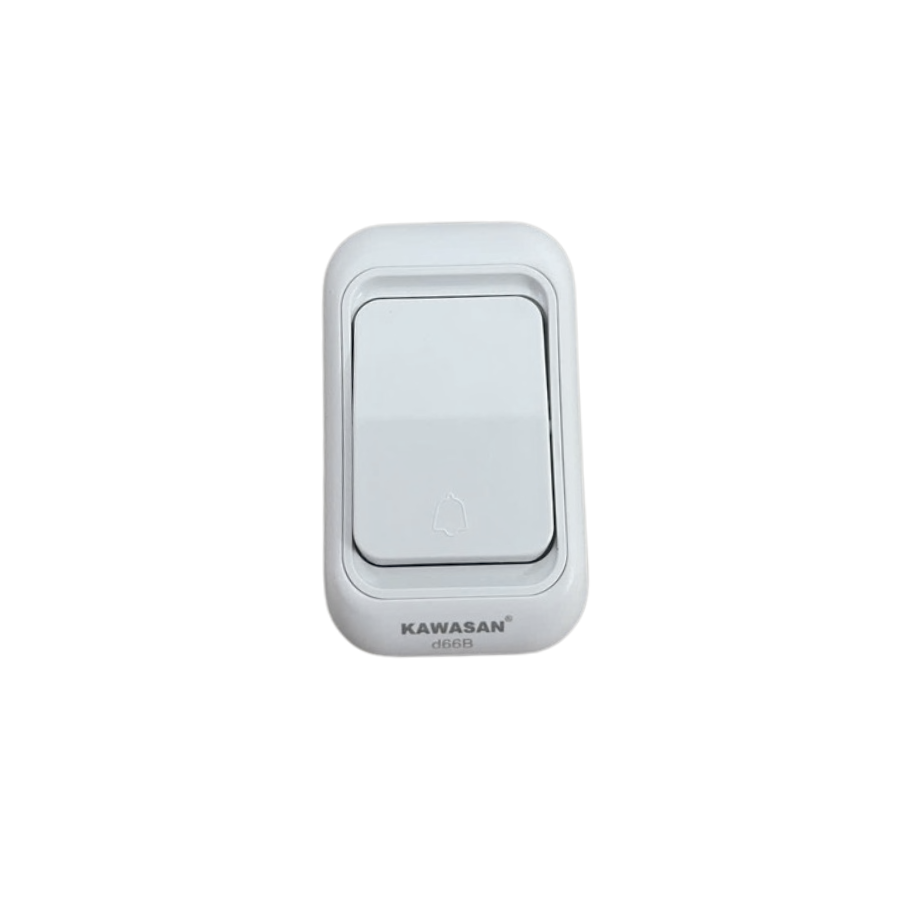
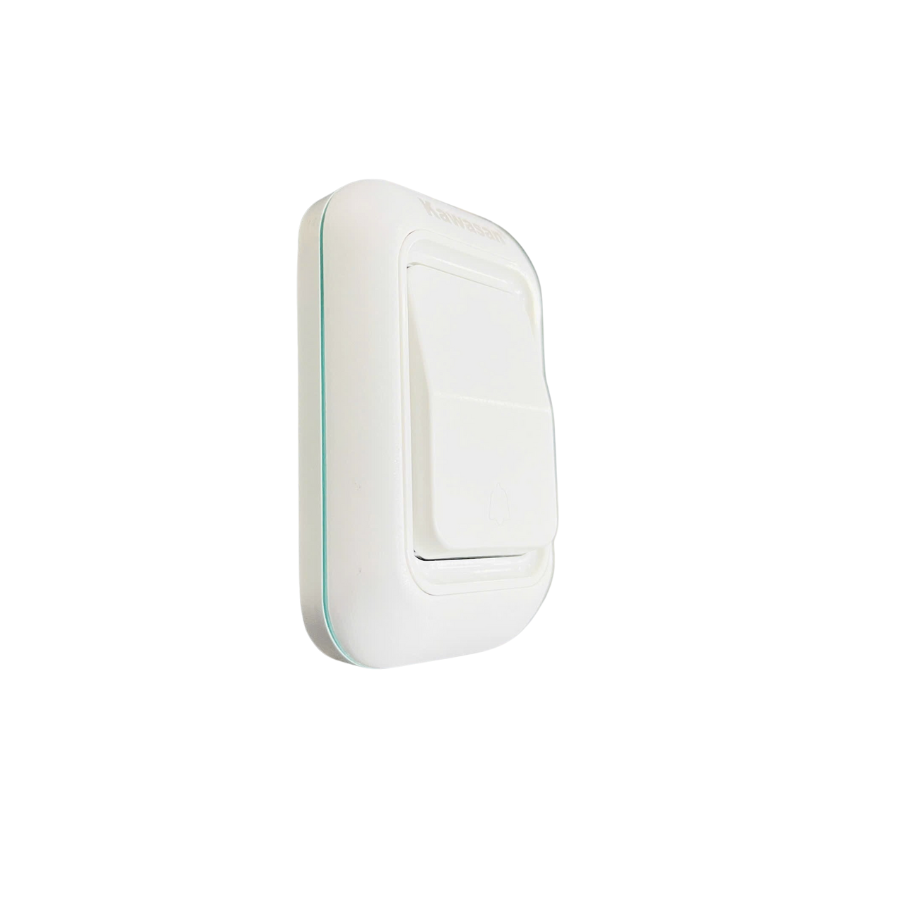
D66B Wireless Push Button
117.000 ₫
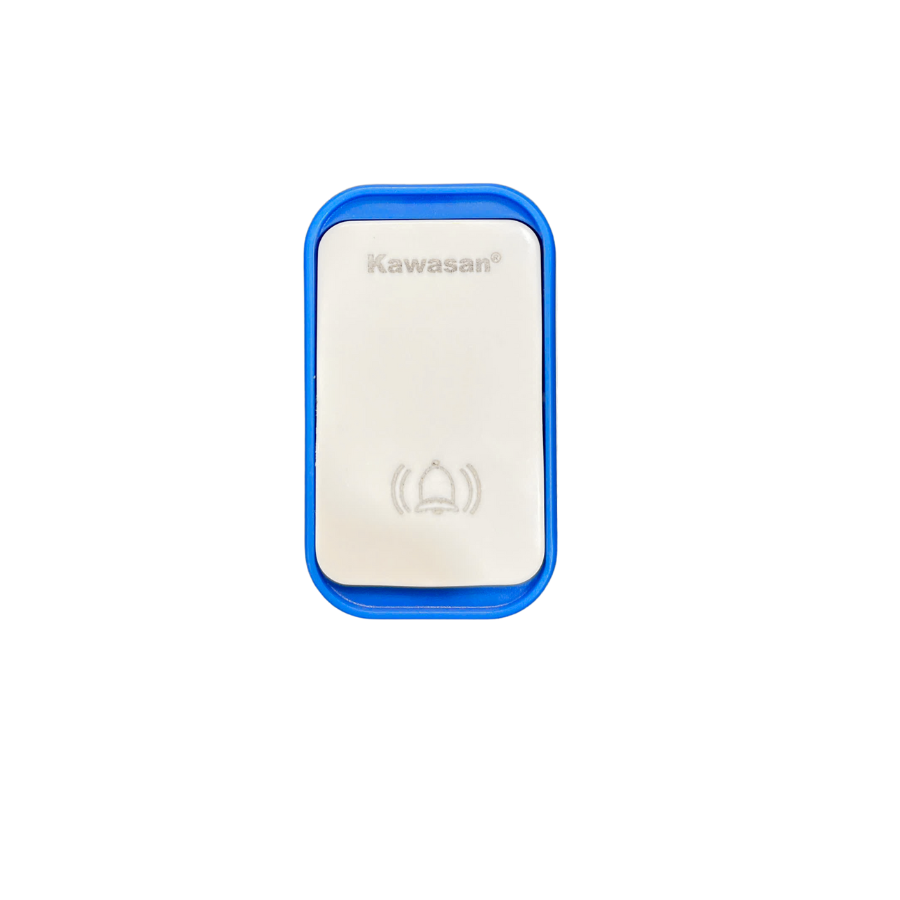
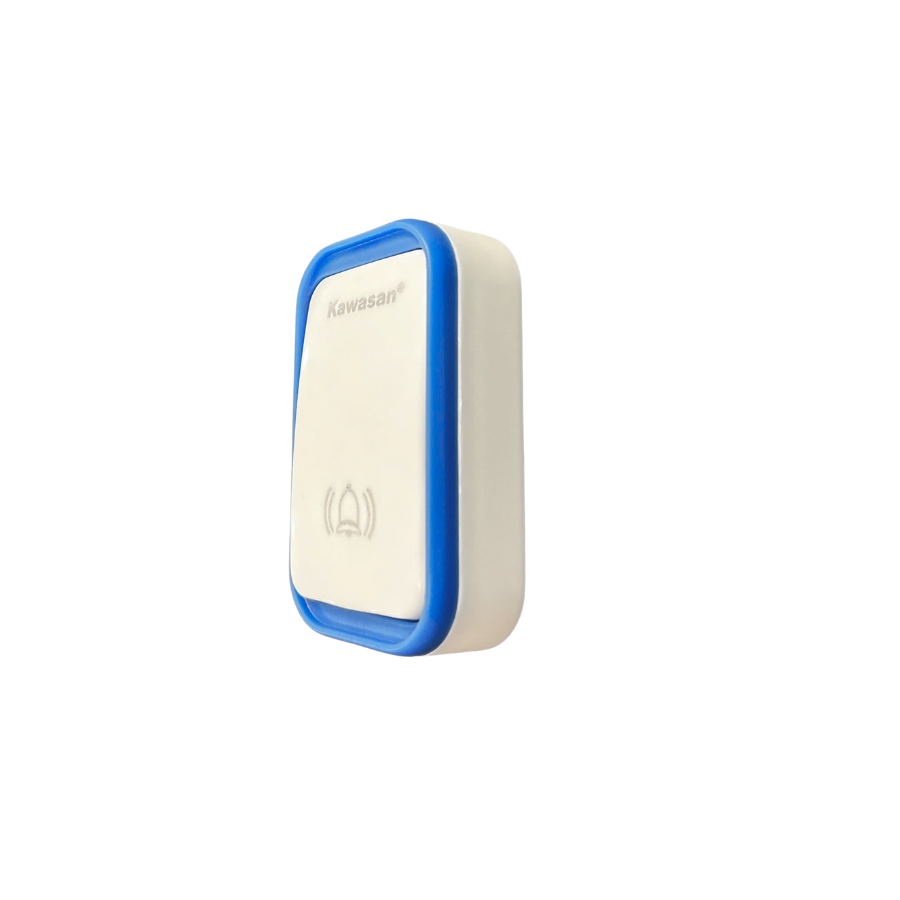
D66D DOORBELL PUSH BUTTON
72.000 ₫

Thu Hà –
Đi ra ngoài vẫn nhận được thông báo trên điện thoại khi có người bấm chuông, mình khá thích điểm này.
Đức Thịnh –
Chuông cửa thông minh dùng thích thật! Kết nối WiFi ổn, thiết kế hiện đại